-
The Checklist
-
1. Confirm which Kyocera business you're actually buying from
-
2. Match the battery model to the exact phone variant, not just the model name
-
3. Understand what the phone is made of before you promise durability
-
4. Test voltage before you install a single battery
-
5. Run a network test before you deploy
-
6. Don't ignore the small components
-
7. Calculate total cost, not unit price
-
1. Confirm which Kyocera business you're actually buying from
-
Three mistakes that aren't steps
This checklist is for anyone ordering Kyocera devices—rugged flip phones, network testers, or component parts—for an organization. It's the list I wish I'd had in 2019 when I started handling telecom procurement. I've wasted roughly $3,200 on avoidable Kyocera ordering mistakes since then. Not counting the delays. These seven steps would have caught most of them.
The Checklist
1. Confirm which Kyocera business you're actually buying from
Here's a mistake that cost me three weeks in 2021: I searched "Kyocera SGS" assuming it was a telecom product line. It's not—SGS is Kyocera's precision tools division. Different business entirely, different catalog, different sales team.
Kyocera operates several distinct divisions that overlap in name only. The communications group handles rugged phones and network equipment. The document solutions side handles printers. The components group (capacitors, connectors) is separate again. And SGS is cutting tools.
Before you request a quote, verify the division. Ask the rep: "Does this part ship from the communications group or the components group?" If they pause, you're likely talking to the wrong person.
2. Match the battery model to the exact phone variant, not just the model name
The Verizon Kyocera flip phone battery is a classic trap. The DuraXV and DuraXE look nearly identical and use different batteries. The model number on the phone's back panel is what matters—not the marketing name on the box.
I once ordered 15 batteries for "DuraXV" models. Six of them didn't fit because the actual phones were DuraXV Extreme variants with a different battery compartment. That mistake ran $340 in return shipping and a week of deployment delay.
My rule now: photograph the label under the battery before you order a replacement. Send that photo to your supplier. Not the phone. The label.
3. Understand what the phone is made of before you promise durability
If you're telling your field team "these phones are indestructible," stop—I'm not a materials scientist, so I can't explain the ceramic chemistry. What I can tell you from a procurement angle is this: not all rugged phones in Kyocera's lineup use the same materials.
The DuraForce line gets the ceramic-based components and thicker housing. The standard flip phones are tough but not built to the same spec. When someone asks "what are phones made of," the honest answer is: it depends on the model line, and you need to check the datasheet rather than assume.
I've had to walk back a "virtually indestructible" claim to my own team when I realized we'd ordered the standard model instead of the DuraForce. Not a fun conversation.
4. Test voltage before you install a single battery
This one's obvious in hindsight. The voltage tester is cheap. But I skipped it once because the batteries were "new in box" from a distributor I hadn't used before.
Two of those batteries arrived at 2.1 volts instead of the expected 3.7. I caught it after installation on the first device—the phone wouldn't boot. Had I installed them across all 20, I'd have been chasing a "defective phone" problem that was actually a battery storage issue.
Now I check voltage on every battery before it goes into a device. Takes maybe 30 seconds per unit. The tester cost less than one replacement phone.
5. Run a network test before you deploy
This is the step most people skip. You test the phone, it works, you hand it out. Then two weeks later someone reports dropped calls in a specific building.
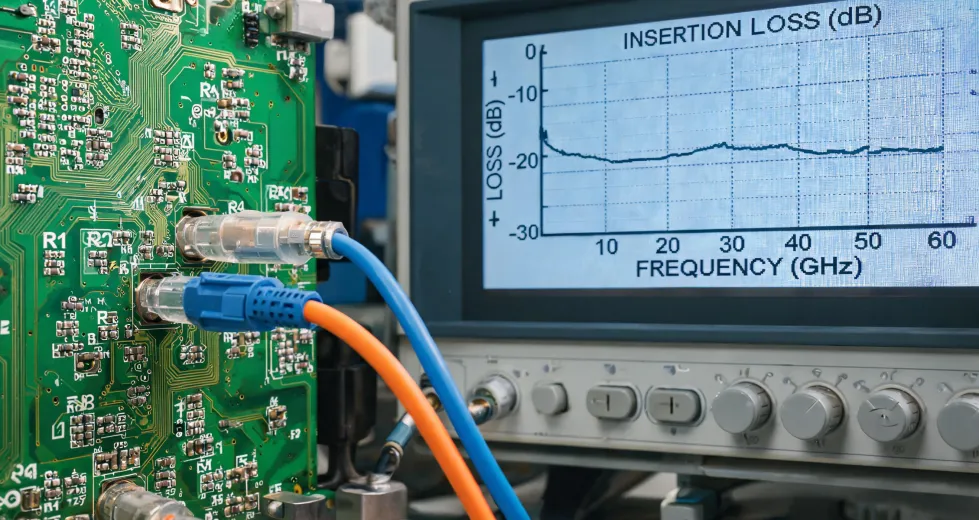
A network tester (or even the phone's diagnostic mode) tells you signal strength before deployment. I now test all devices in the actual locations they'll be used—not just at my desk.
On a 2023 order of 30 flip phones, I tested signal in three buildings before handing them out. Two buildings had dead zones that needed a different carrier configuration. Caught it before the field team did.
6. Don't ignore the small components
Kyocera's component business—capacitors, connectors—is separate from the phone side, but the same vetting logic applies. A $0.40 capacitor failure can take down a $1,200 printer mainboard.
I've started ordering spare capacitors alongside any printer order. Costs maybe $15 extra. Saved a $600 board replacement in 2024 when a capacitor failed on a TASKalfa unit three weeks out of warranty.
7. Calculate total cost, not unit price
My position on this is simple: the cheapest battery isn't the cheapest battery. It's the one that doesn't fail in month four.
I've done the math on this multiple times. A third-party battery at $18 vs. OEM at $45 saves $27 per unit. Until two fail out of every ten. Then you're at $54 in replacement plus labor plus downtime—and you still need the OEM battery anyway.
I'm not saying always buy OEM. I'm saying run the failure math before you decide. If the third-party failure rate is under 5%, maybe it works for you. If it's 15%, the "cheaper" option is more expensive.
Three mistakes that aren't steps
These don't fit neatly into the checklist, but they'll bite you anyway:
- Assuming the packaging matches the product. I've opened boxes labeled DuraForce and found standard models inside. Check the label, not the box.
- Trusting "compatible with" on third-party listings. It usually means "fits the same slot," not "meets the same spec."
- Skipping the return window. Test everything within the first week, even if you're not deploying yet.
This checklist isn't perfect. I add to it every time I make a new mistake. But since I started using it in 2022, I've caught 47 potential issues before they became actual problems—including that capacitor thing, which was the most expensive near-miss I've had.
If you're ordering Kyocera gear for a team, run this list first. It's cheaper than learning the hard way.